

From the Theme Editor, navigate to Header > Announcement bar.

The Announcement Bar lets you display one or more scrolling announcements at the top of your store. It’s ideal for promoting sales, highlighting new arrivals, sharing shipping information, or displaying other important updates.
Announcement Bar General Settings
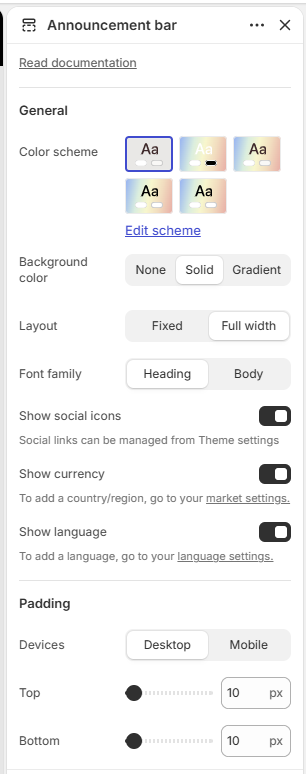
Color Scheme: Select the color scheme for the announcement bar.
Background Color: Choose the background style: None, Solid, or Gradient.
Layout: Choose the announcement bar layout: Fixed or Full width.
Font Family: Choose the font family: Heading or Body.
Show Social Icons: When enabled, social media icons are displayed in the announcement bar. Social links can be managed from Theme settings.
Show Currency: When enabled, a currency selector is displayed in the announcement bar. To add a country or region, go to Market settings.
Show Language: When enabled, a language selector is displayed in the announcement bar. To add a language, go to Language settings.
Padding
Devices: Choose whether to configure padding for Desktop or Mobile devices.
Top: Set the top padding of the announcement bar.
Bottom: Set the bottom padding of the announcement bar.
Announcement Block
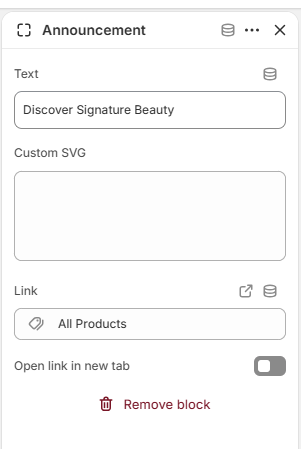
Text: Add the announcement text to display.
Custom SVG: Add a custom SVG icon or graphic to display with the announcement.
Link: Add a link for the announcement.
Open link in new tab: Choose whether the announcement link opens in a new browser tab.