

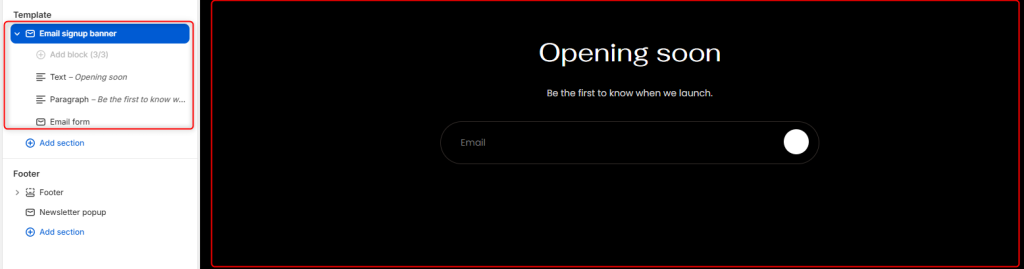
The Email Signup Banner section is displayed on the storefront’s password page and allows visitors to subscribe to your mailing list in cases such as before the store launches.
Email signup banner settings
Section Settings
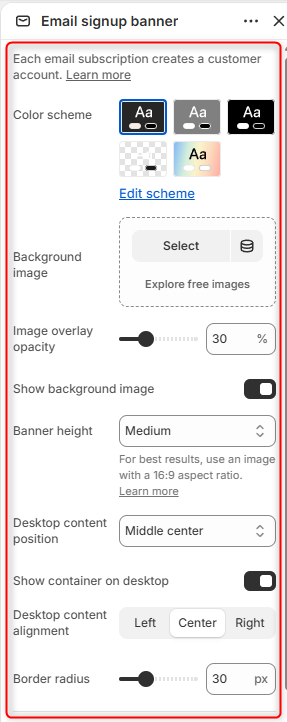
Color Scheme: Enables you to edit and select the color scheme applied to the Email signup banner.
Background Image: Here you can upload an image to display behind the email signup banner.
Image overlay opacity: Controls the darkness of the overlay applied to the background image.
Show background image: Toggles the display of the background image.
Banner height: Controls the height of the banner. For best results, use images with an approximate 16:9 aspect ratio.
Desktop Content Position: Controls where the banner content is positioned.
Show Container on Desktop: Displays the content inside a dedicated container.
Desktop Content Alignment: Controls the horizontal alignment of the banner content on desktop screen sizes.
Border radius: Border Radius Controls the roundness of the Email signup banner corners.
Mobile layout
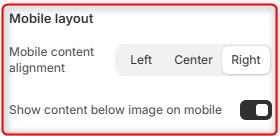
Mobile Content Alignment: Controls the horizontal alignment of content on mobile devices.
Show Content Below Image on Mobile: Controls how content is displayed on mobile devices. Either overlaying the background image or below the image.
Email signup banner blocks
Text Block
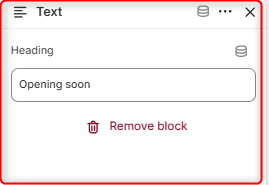
The Text block displays the main heading of the email signup banner.
Paragraph
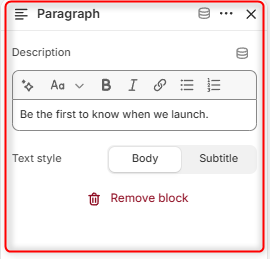
The Paragraph block displays supporting text beneath the heading. This area can be used to explain the benefits of subscribing or build anticipation for your launch.
Email Form
The Email Form block displays the newsletter subscription form. This block enables visitors to enter their email address and subscribe to updates from your store.