

Location- Customizer > Search > Template > Search Banner
Search Banner Overview
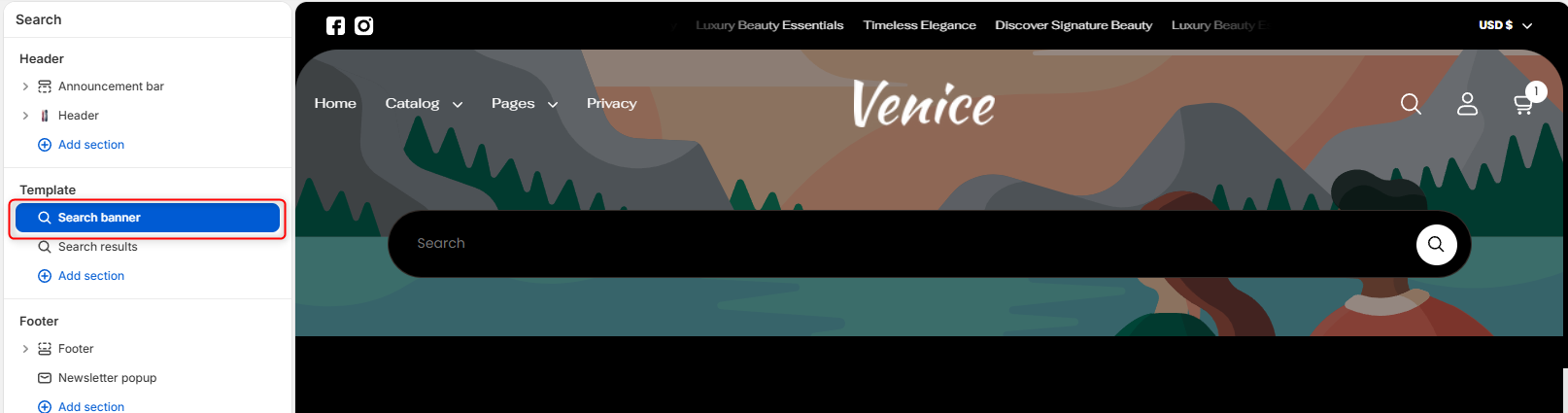
The Search Banner section creates a visually prominent search area at the top of the search page. It provides customers with a dedicated search field and optional background imagery, making it easier to discover products, articles, and pages throughout your store.
Section setting
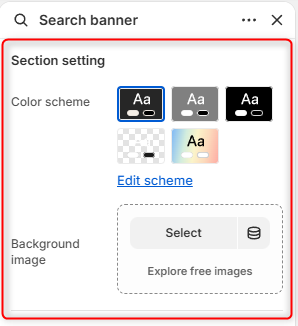
- Color Scheme- Enables you to edit and select the desired color scheme you want to reflect on this section.
- Background Image- Upload an image to display behind the search banner.
Border radius
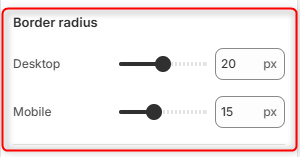
Desktop: Adjusts the corner rounding of the search banner container on desktop devices.
Mobile: Adjusts the corner rounding of the search banner container on mobile devices.
Spacing (desktop)
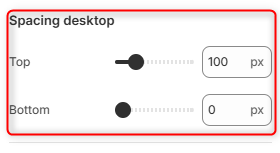
Top: Controls the amount of spacing above the Search Banner section on desktop devices.
Bottom: Controls the amount of spacing below the Search Banner section on desktop devices.
Spacing (mobile)
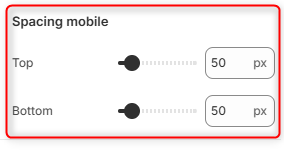
Top: Controls the amount of spacing above the Search Banner section on mobile devices.
Bottom: Controls the amount of spacing below the Search Banner section on mobile devices.