

Location- Customiser > Template > Countdown Timer
Countdown Timer Overview
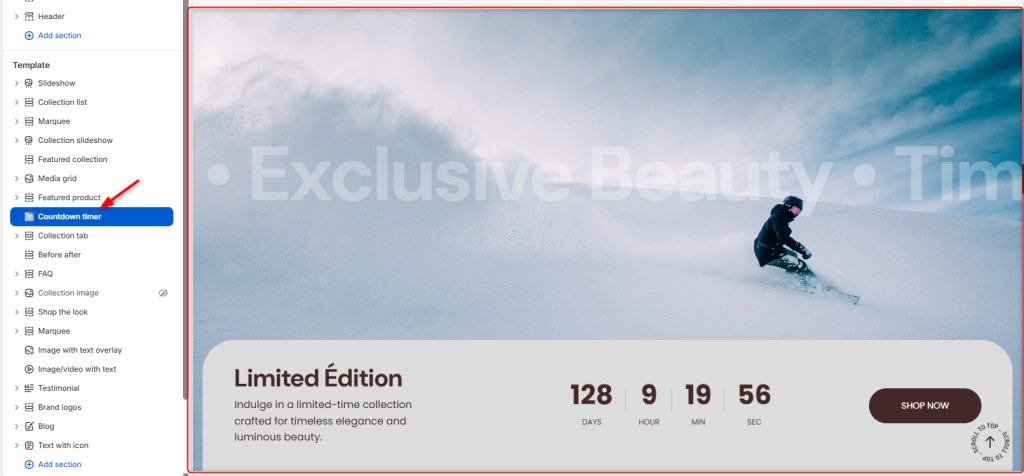
The Countdown Timer section enables you to display limited-time offers, sales, or promotions, prompting users to take an action to avoid missing out.
Countdown Timer Settings
General Settings
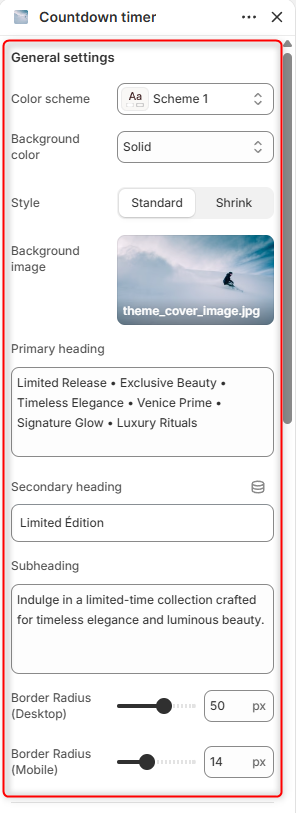
- Color Scheme: Enables you to select and customize the predefined color pattern for the Countdown Timer section.
- Background Color: Choose the background style or color treatment used for the section.
- Style: Enables you to select the layout style of the countdown timer section. It can either be a standard or a shrunk layout.
- Background Image: Here you can upload an image to display as the section background.
- Primary Heading: Displays the main promotional heading prominently within the section.
- Secondary Heading: Displays an additional heading that complements the primary heading.
- Subheading: This field allows you to add supporting text to provide more details about the promotion, campaign, or collection being featured.
- Border Radius (Desktop): Controls the roundness of the content container corners on desktop devices.
- Border Radius (Mobile): Controls the roundness of the content container corners on mobile devices.
Timer Settings
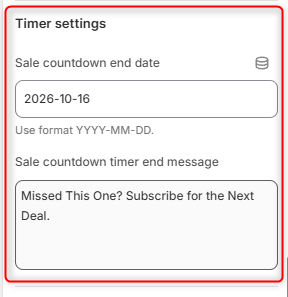
- Sale Countdown End Date: Enables you to set the end date of the countdown timer.
- Sale Countdown Timer End Message: Defines the message displayed once the countdown expires.
Button (style standard)
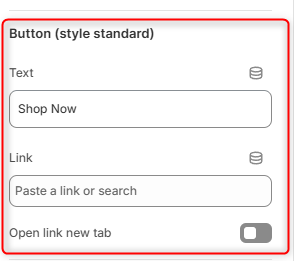
Text: Defines the label displayed on the call-to-action button.
Link: Select the destination page, product, collection, or custom URL that visitors will be directed to when clicking the button.
Open Link in New Tab: When enabled, the button link opens in a new browser tab instead of the current one.
Spacing (Desktop)
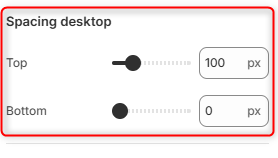
Top: Adjusts the amount of space above the section on desktop devices.
Bottom: Adjusts the amount of space below the section on desktop devices.
Spacing Mobile
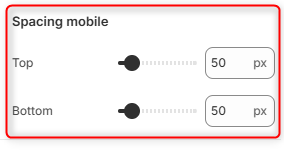
Top: Adjusts the amount of space above the section on mobile devices.
Bottom: Adjusts the amount of space below the section on mobile devices.