

Location: Customizer → Theme settings → General Settings
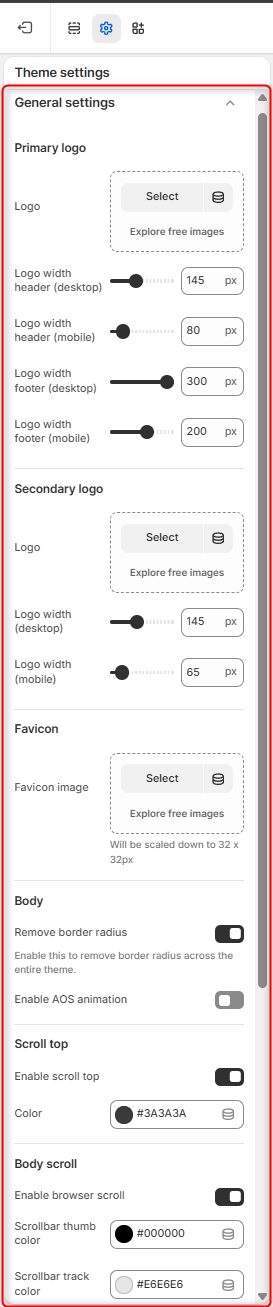
Primary Logo
- Logo: Upload the main logo image for header and footer.
- Logo Width Header (Desktop/Mobile): Set custom width for the logo in the header.
- Logo Width Footer (Desktop/Mobile): Set custom width for the logo in the footer.
Secondary Logo
- Logo: Used for sticky headers or alternate modes (dark/light).
- Logo Width: Set width for desktop and mobile view.
Favicon
- Favicon Image: Upload a favicon (scaled to 32×32 px).
- Remove Border Radius: Toggle to remove rounding from favicon edges.
Body
- Remove border radius: When enabled, it disables the border radius on the site body.
- Enable AOS animation: Triggers an initial loading animation on the site upon scroll.
Scroll Top
- Enable Scroll Top: Shows a button to scroll to top.
- Color: Set button color.
Body Scroll
- Enable Browser Scroll: Toggle custom scroll styling.
- Scrollbar Thumb Color: Draggable scroll thumb color.
- Scrollbar Track Color: Scroll path color.