


The Page Header section displays a customizable banner at the top of inner pages, such as About Us, Contact, FAQ, and other informational pages. It provides visitors with context and improving page navigation.
Page Header Settings
General Settings
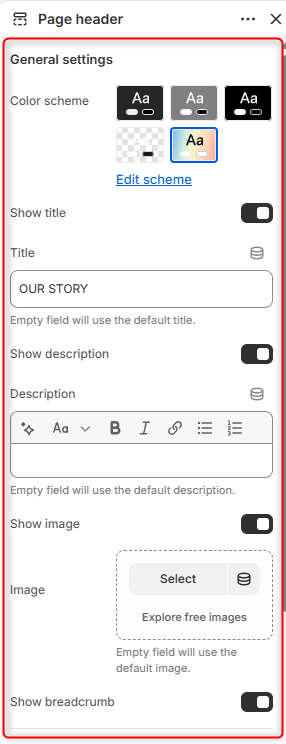
Color Scheme: Select the color scheme applied to the Page Header section.
Show title: Enables or disables the page title.
Title: This field enables you to specify a custom title for the page header.
Show description: Enables or disables the page description display.
Description: Enables you to add custom descriptive content for the page.
Show image: Enables or disables the header image.
Image: This field enables you to upload a custom image for the page header.
Show breadcrumb: Enables or disables breadcrumb navigation.
Border radius
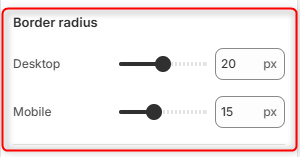
Desktop: Controls the roundness of the header image corners on desktop screens.
Mobile: Controls the roundness of the header image corners on mobile screens.
Spacing desktop
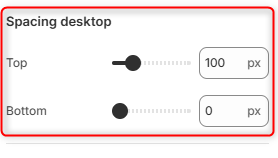
Top: Adds space above the Page header contents.
Bottom: Adds space beneath the Page header contents.
Spacing mobile
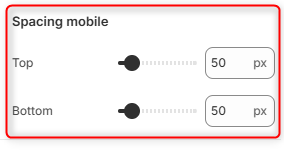
Top: Adds spacing above the Page header contents on mobile screens.
Bottom: Adds spacing below the Page header contents on mobile screens.