


The Small Page Header section adds a compact banner at the top of selected pages, such as the Cart, Contact, Search, or other inner pages. It provides a visually appealing header area that can display a background image and adopt your store’s color scheme while maintaining a minimal footprint.
Small Page Header Settings
Settings
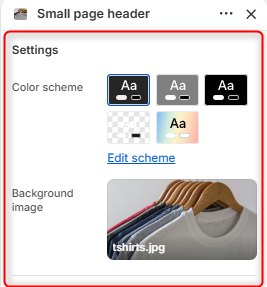
Color Scheme: Enables you to edit and choose the color scheme applied to the Small Page Header section.
Background Image: Allows you to upload an image that will be displayed as the page header background.
Border radius
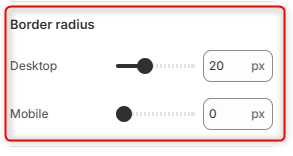
Desktop: Adjusts the corner roundness of the Small Page Header banner for desktop devices.
Mobile: Adjusts the corner roundness of the Small Page Header banner for mobile devices.
Image banner (height)
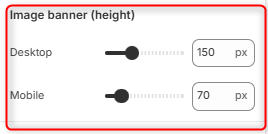
Desktop: Controls the height of the Small Page header banner on desktop devices.
Mobile: Controls the height of the Small Page header banner on mobile devices.