

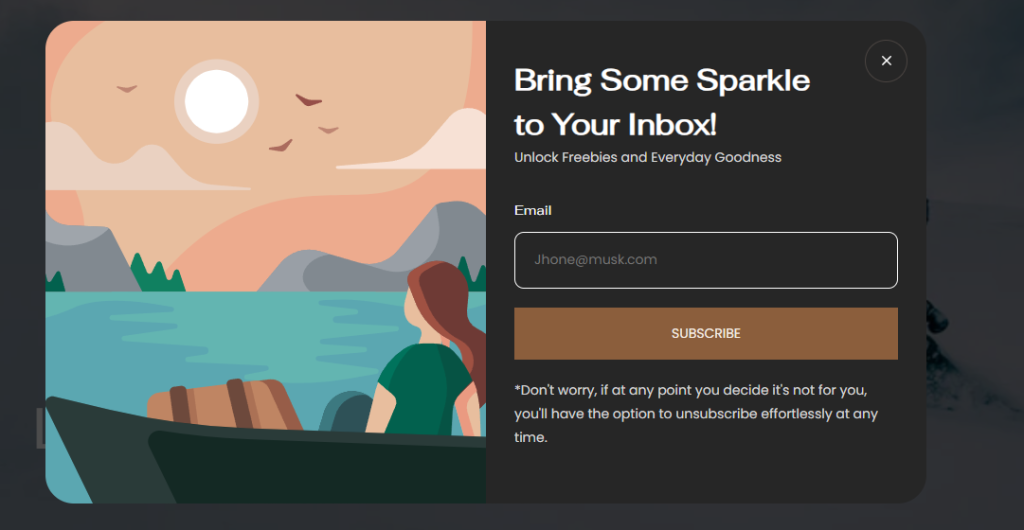
The Newsletter Popup displays a promotional subscription modal that encourages visitors to join your mailing list. It can automatically appear after a specified delay and can be configured to reappear after a certain number of days if the visitor closes it without subscribing.
Newsletter Popup Section Settings
Section Setting
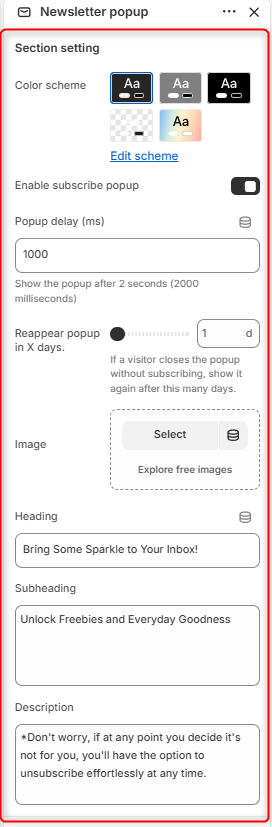
Color Scheme: Enables you to edit and select the color scheme used by the newsletter popup.
Enable Subscribe Popup: Enables or disables the newsletter popup display.
Popup Delay (ms): Controls how long the store waits before displaying the popup. The value is measured in milliseconds (ms).
Reappear Popup in X Days: Determines how many days to wait before showing the popup again if a visitor closes it without subscribing.
Image: Here, you can upload an image to display within the popup.
Heading: Displays the main title of the popup.
Subheading: Enables you to add supporting text beneath the heading.
Description: Allows you to add additional information or reassurance about subscribing.