

The Layout settings allow you to control the maximum width of your store’s content. Adjusting the container width helps define how your pages are displayed across larger screens, allowing you to create either a more spacious or more compact layout.
Steps
- In the theme editor (Customize), click Theme settings.
- Select Layout.
- Adjust the container width to your preferred size.
- Save the changes.
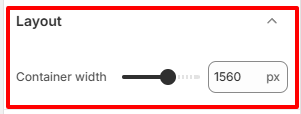
Container width
Set the maximum width of the main content container used throughout your storefront.
Increasing the container width allows content to span more of the screen, creating a wider layout. Decreasing the width keeps content more centered and improves readability by limiting the length of text lines.