

Location- Customiser > Template > Best Sellers Slideshow
Best Sellers Slider Overview
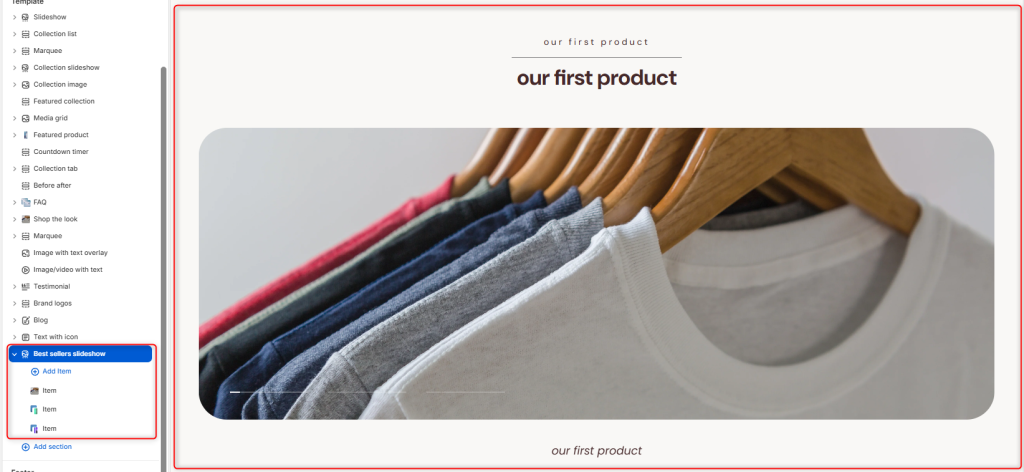
The Best Sellers Slider enables you to highlight information about the best-selling products within the store.
Best Sellers Slider Settings
General Settings
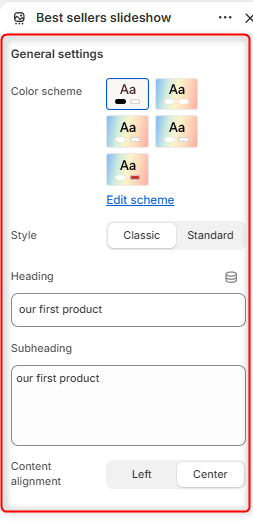
- Color Scheme: Enables you to edit and select a colour palette to be applied to the Best Sellers Slider section.
- Style: Here you can choose the layout style to be used for displaying the slideshow.
- Heading: Defines the main title displayed within the section.
- Subheading: Allows you to add a tagline to support the heading.
- Content alignment: Controls the alignment of the heading and subheading.
Border Radius
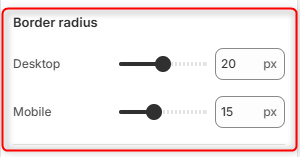
Desktop: Adjusts the corner rounding of slideshow cards / product images on desktop devices.
Mobile: Adjusts the corner rounding of slideshow cards / product images, on mobile devices.
Slider settings
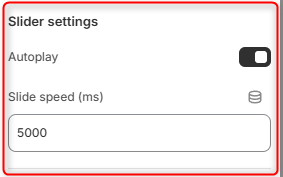
Autoplay: When enabled, the slideshow automatically cycles through the best-selling products at regular intervals.
Slide Speed (ms): Controls the delay between automatic slide transitions, measured in milliseconds.
Spacing (desktop)
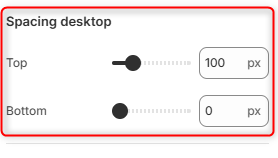
Top: Controls the amount of spacing above the Best Sellers Slideshow section on desktop devices.
Bottom: Controls the amount of spacing below the Best Sellers Slideshow section on desktop devices.
Spacing (Mobile)
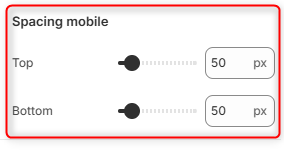
Top: Controls the amount of spacing above the Best Sellers Slideshow section on mobile devices.
Bottom: Controls the amount of spacing below the Best Sellers Slideshow section on mobile devices.
Best Slider Slideshow Item Block Configuration
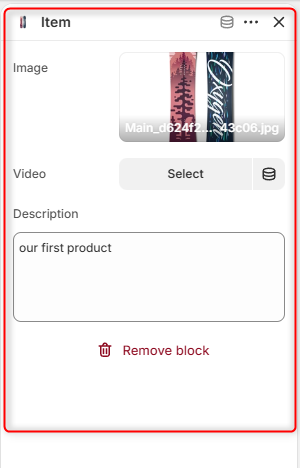
Each slide in the Best Sellers Slideshow is added through an individual Item block.
The Image and Video fields allow you to upload an image or video, respectively, for display within the slideshow item. If both fields are populated, the Video takes precedence and will be displayed instead of the image.