

Location- Customiser > Template > Blog Posts
Blog Posts Overview
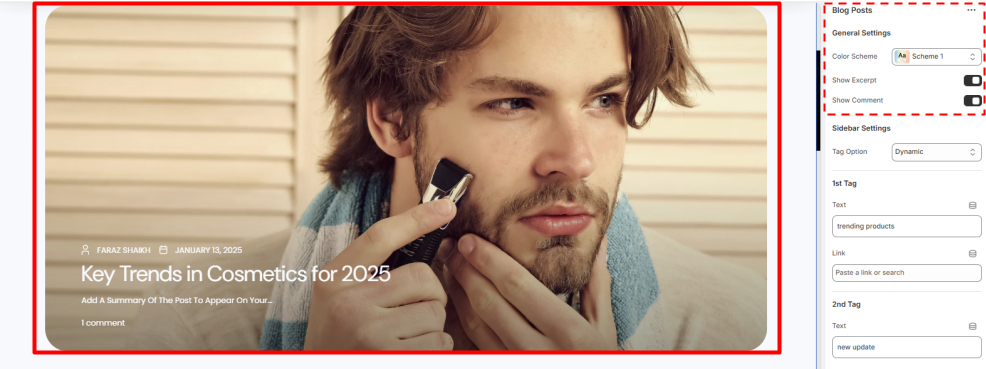
The Blog Posts are there to express and share views and ideas to the people you want to reach, blogs also help in more engagement for your Website.
Our Section allows you to show a Thumbnail, Author name, Date of publishing, Title and an Excerpt along with the count of the comments.
Blog Posts Setting
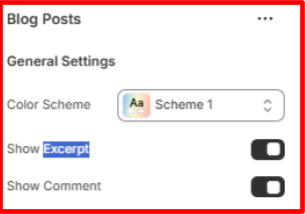
General Settings
- Color Scheme- Set the colour Scheme you want for the section
- Show Excerpt- Select either to enable or disable the Excerpt on the blog Preview page.
- Show Comment- Select either to enable or disable the Comment Count on the blog Preview page.
Tags & Trending post Overview
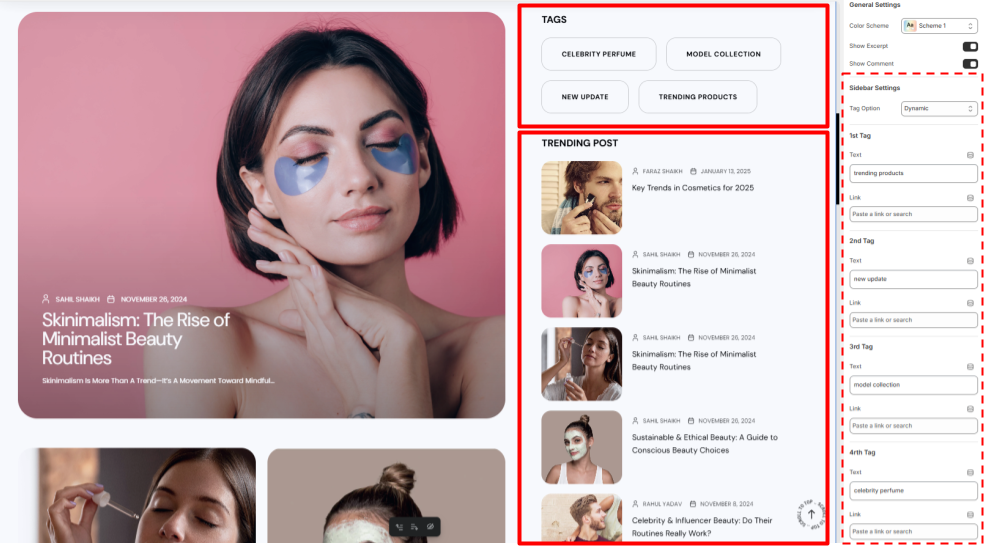
The Tags in the Blog posts allows the reader to categorise and read the post related to the same or particular topics according to their preference.
You can add custom Tags or can also use Dynamic Tags or else if you do not want to show any tags you can also disable it.
The Trending post allows you to list the most trending posts from all your posts here this is Dynamic you cannot change the settings.
Tags & Trending post Settings
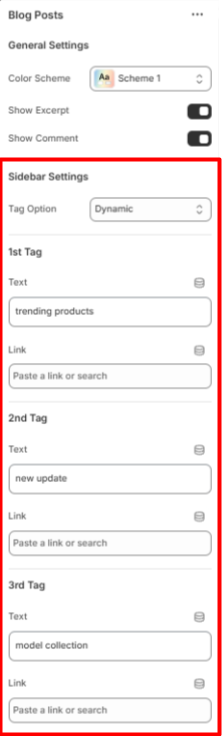
Sidebar Settings
- Tag Options- Select either you want to show Dynamic or custom tags also if you want to disable it select none.
1st, 2nd, 3rd, 4th Tag Settings
- Text- Put the name of the tag here
- Link- Put the link where it will redirect the user
Popular Cosmetics Overview
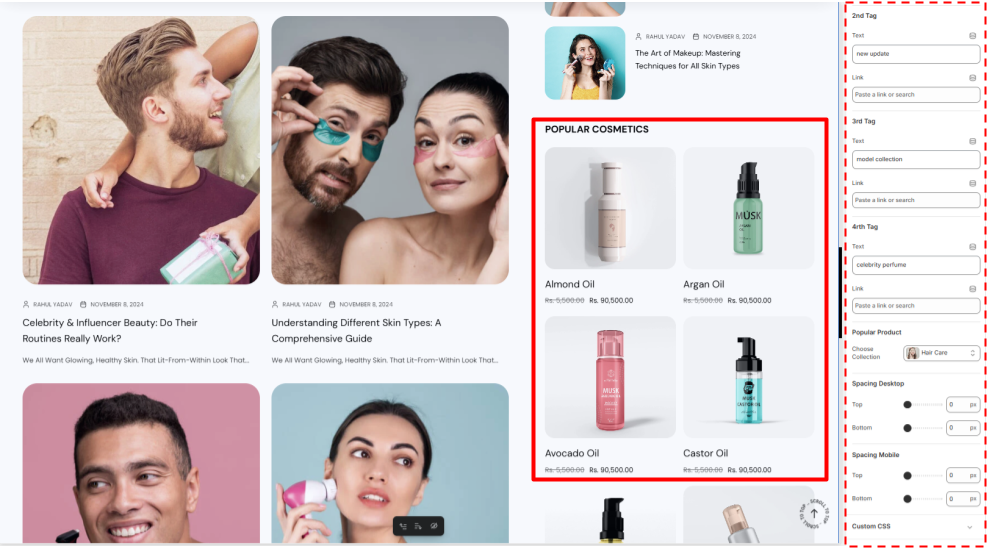
The popular cosmetics section in Blog Post allows you to list your most popular products category wise you can select the category you want to show.
Popular Cosmetics Settings
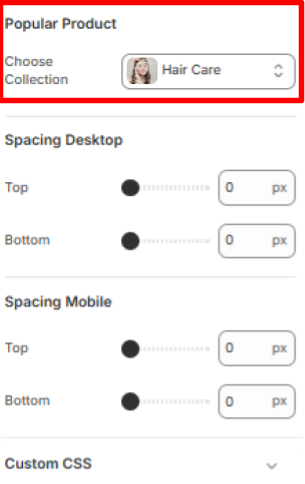
Popular Product Settings
- Choose Collection- Select the collection you want to show as the popular collection.