

The Custom CSS setting allows you to add your own CSS code to customize the appearance of your online store.
Steps
- In the theme editor (Customize), click Theme settings.
- Select Custom CSS.
- Enter your custom CSS code in the CSS field.
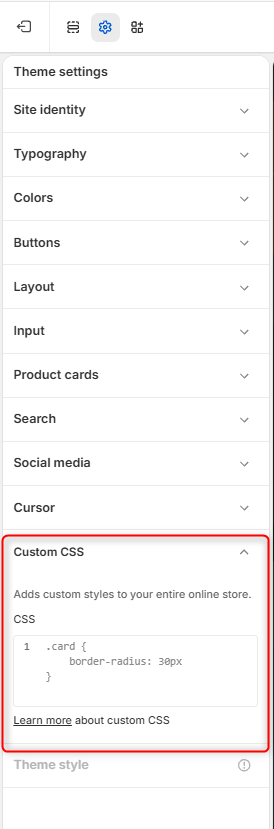
Adding Custom CSS
You can use the CSS editor to add custom styles that apply across your entire online store or specific sections within the store.