

The Cursor settings allow you to customize the appearance and behavior of the cursor on your store.
Within this section, you can also enable and disable scroll animations within the store.
Steps
- In the theme editor (Customize), click Theme settings.
- Select Cursor
- Configure the available cursor and animation options.
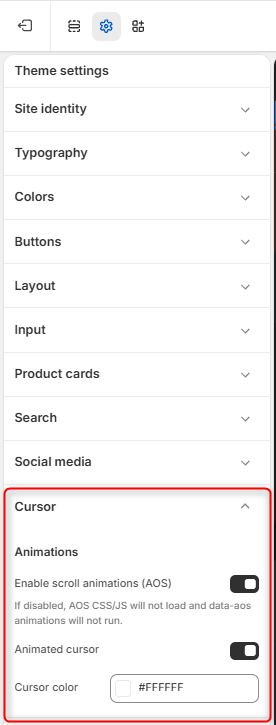
Enable Scroll Animations (AOS)
Enable this option to activate AOS (Animate On Scroll) animations across your store.
When enabled, supported elements can animate as visitors scroll through the page.
Note: If this option is disabled, the AOS CSS and JavaScript files will not load, and AOS animations will not run.
Animated Cursor
Use the Animation toggle to enable or disable the custom cursor animation on your store. When enabled, visitors will see some animation on the cursor while navigating your store.
Cursor Color
Use the Cursor color option to choose the color of the custom cursor.
Click the color field and select your preferred color, or enter a HEX color value.