

Location- Customiser > Template > FAQ
FAQ Overview
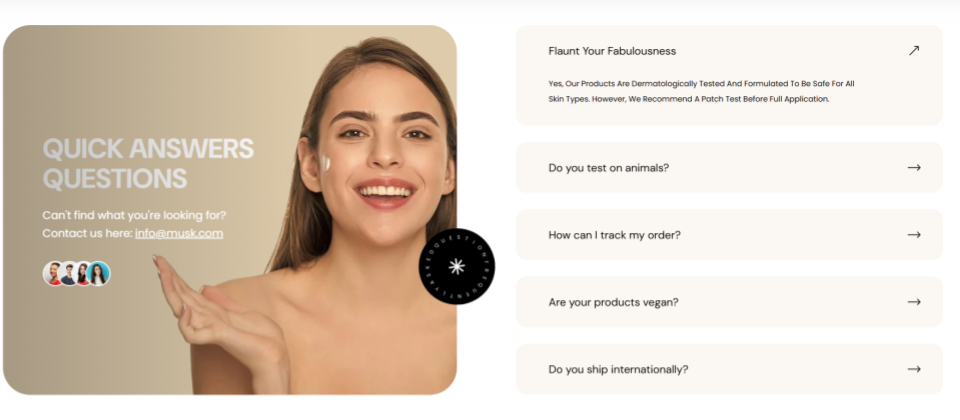
The FAQ section allows you to add frequently asked questions along with their answers directly within your store.
FAQ Settings
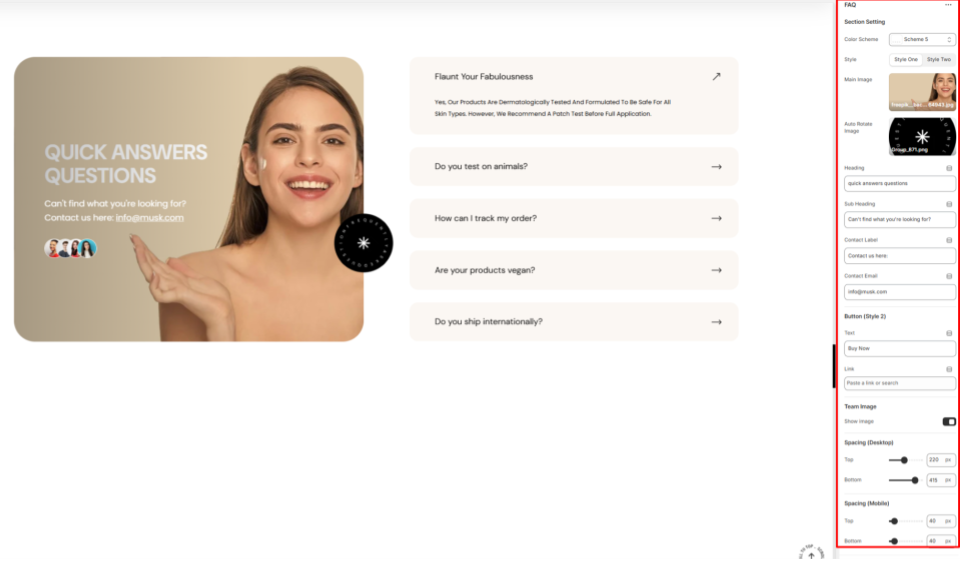
Section Setting
- Color Scheme: Enables you to select a predefined color palette for the FAQ section.
- Style: Set the preferred rendering of the contents overlaying the main image in the FAQ section.
- Main Image: Upload the image that will be displayed on the left side of the FAQ section.
- Auto Rotate Image: Auto Rotate Image: Upload an image to be used as a rotating overlay element in the FAQ section when Style One is selected.
- Heading: Enter the main header text for the FAQ section.
- Subheading: Add a subheading to appear above the main heading in the FAQ section.
- Contact Label: Provide text to introduce the contact information.
- Contact Email: Specify the email address customers can use for assistance.
Button (Style 2)
This button is rendered on the FAQ section if the style selected on the FAQ section settings is style two.
- Text: Add the label to be rendered on the button.
- Link: Specify the URL that the button links to.
Team Image
Show Image: When enabled, it renders thumbnail images of team members’ images added to the section.
Spacing (Desktop and Mobile)
Controls the top and bottom spacing of the FAQ section on both desktop and mobile views.