

Location - Customiser > Template > Shop The Look
Shop The Look Overview
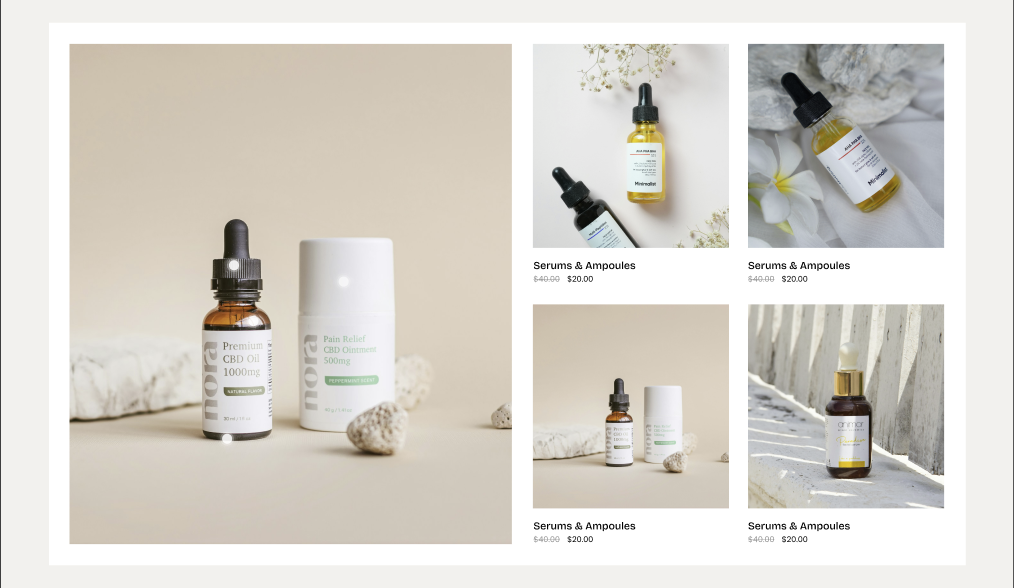
The Shop the Look section allows you to showcase a product with an image and interactive hotspots, helping customers discover products directly from the look.
Shop The Look Settings
General Settings
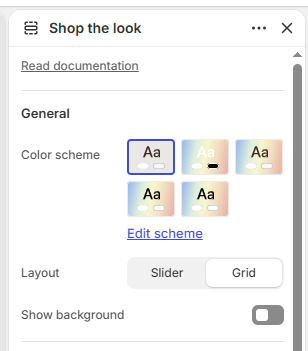
Color Scheme: Select the color scheme for the section.
Layout: Choose the layout: Slider or Grid.
Show Background: Enable or disable the section background.
Content
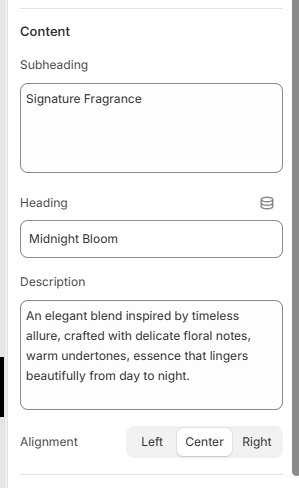
Subheading: Add a subheading for the section.
Heading: Add the main heading for the section.
Description: Add a description for the section.
Alignment: Choose the content alignment: Left, Center, or Right.
Media
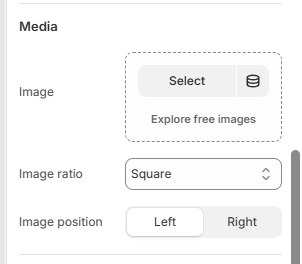
Image: Select the main image for the Shop the Look section.
Image Ratio: Choose the image ratio: Adapt to image, Square, Portrait, or Landscape.
Image Position: Choose the image position: Left or Right.
Border Radius
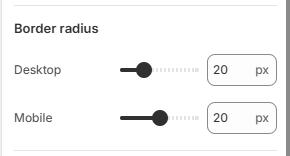
Desktop: Set the image border radius from 0–80px.
Mobile: Set the image border radius from 0–40px.
Padding
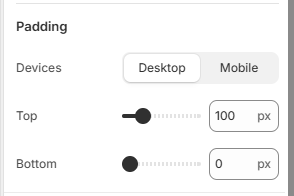
Device: Choose whether to configure padding for Desktop or Mobile devices.
Top: Set the top padding from 0–500px.
Bottom: Set the bottom padding from 0–500px.
Product Block
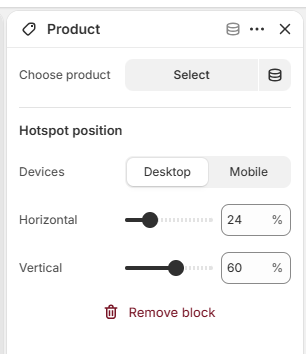
Choose Product: Select the product to display with the hotspot.
Device: Choose whether to set the hotspot position for Desktop or Mobile devices.
Horizontal: Set the horizontal position of the product hotspot.
Vertical: Set the vertical position of the product hotspot.