

Location- Customiser > Template > Featured Collection
Featured Collection Overview
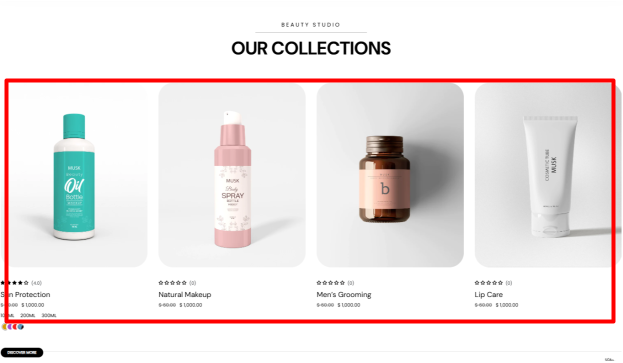
The Featured Collection section displays products from one of your specified store’s collections.
Featured Collection Settings
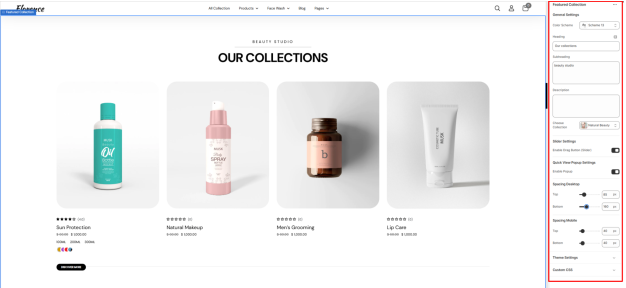
General Settings
- Color Scheme: Enables you to specify a preset color scheme for your Featured Collection section.
- Heading: Use this field to set the header text for your Featured Collection.
- Subheading: Enables you to add a subheading text that is to be rendered above the Featured Collection Heading.
- Description: This can be used to add descriptive text content about your collection.
- Choose a collection: This field enables you to specify the collection whose products you wish to have rendered.
Slider Settings
Enable Drag Button (Slider): Toggles the display of the “Discover more” button used as a slider navigation to reveal additional products.
Quick View Popup Settings
When enabled, it displays a quick view icon on products that, when clicked, opens a popup with the product details.
Spacing (Desktop and Mobile)
Adjusts the top and bottom spacing of the Featured Collection section on both desktop and mobile views.