

Location- Customiser > Template > Fun Fact
Fun Fact Overview
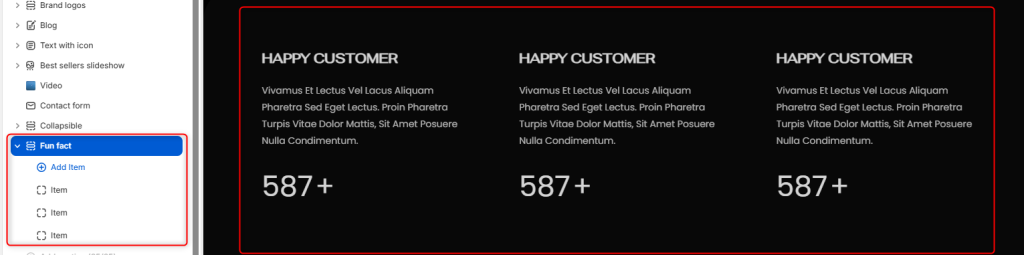
The Fun Fact section enables you to showcase key achievements within your store, such as product sales or brand highlights, to enable you to build trust with your audience.
Fun Fact Settings
General Settings
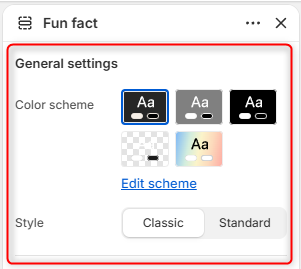
- Color Scheme: Here you can edit and select the color scheme to be applied to the entire Fun Fact section, including text, backgrounds, and numerical values.
- Style: Controls the overall visual presentation of the Fun Fact cards.
Border radius
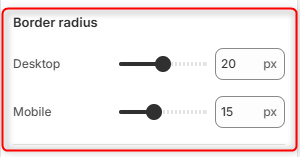
Desktop: Adjusts the corner rounding of the Fun Fact card containers on desktop devices.
Mobile: Adjusts the corner rounding of the Fun Fact card containers on mobile devices.
Spacing (desktop)
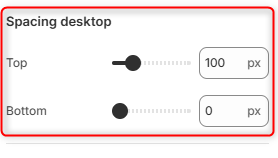
Top: Controls the amount of spacing above the Fun Fact section on desktop devices.
Bottom: Controls the amount of spacing below the Fun Fact section on desktop devices.
Spacing (mobile)
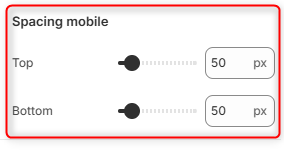
Top: Controls the amount of spacing above the Fun Fact section on mobile devices.
Bottom: Adjusts the amount of spacing below the Fun Fact section on mobile devices.
Fun Fact Item Block
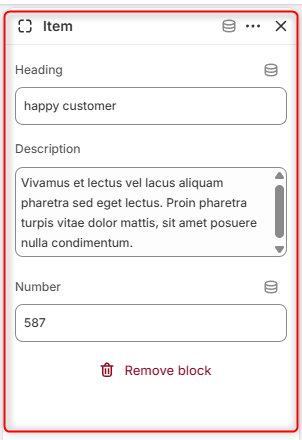
The Item block helps in adding the facts and statistics to be rendered on the Fun Fact section.