

Location- Customiser > Template > Main Login
Main Login Overview
- Heading- Allows you to add a short heading or title to engage and encourage the users to sign up
- Description- A short description section to add something about your brand to make it more engaging for the people
- Image- You can add an image for the login page.
- Email input Field- This field allows the user to input his email address.
- Password Input Field- For the login here is the password section after email.
- Sign In- A simple button to continue the sign in process
- Create New Account- This is a redirection button that allows the user to create a new account.
Main Login Settings
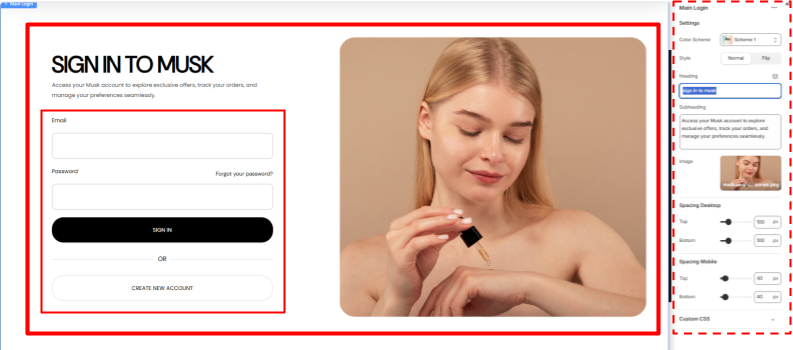
Setting
- Colour Scheme- Select the Desired colour scheme you want to reflect on this section.
- Style- Select either the normal or flipped style for the section.
- Heading- Put the heading you want to show.
- Subheading- Add the subheading for the section.
- Image- Upload the image you want to view.