

Location: Customizer > Featured Blogs
Featured Blogs Overview
The Featured Blogs section allows you to showcase blog posts in a flexible Grid or Carousel layout. You can select a blog, control the number of posts displayed, customize the image ratio and content placement, and optionally display additional blog information such as the author, published date, comment count, and excerpt.
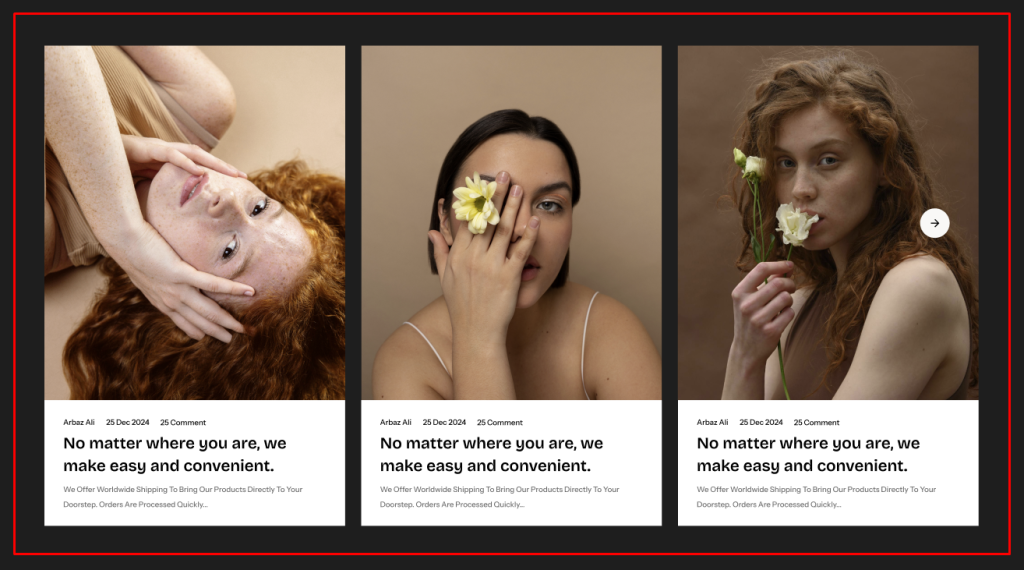
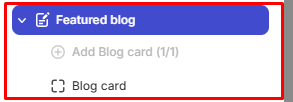
The section uses a block-based architecture with a Blog Card block that controls the display of individual blog post information.
General Settings
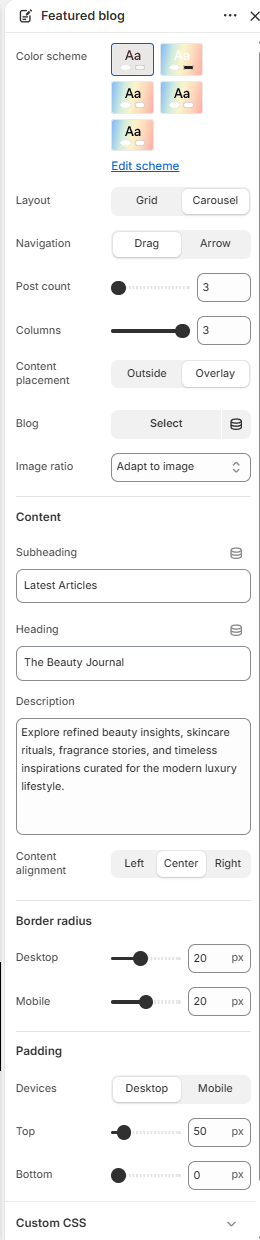
Color Scheme
Allows you to select the color scheme used for the Featured Blogs section.
Layout
Controls how the featured blog posts are displayed.
Available options:
- Grid
- Carousel
Navigation
Controls the navigation style for the blog posts when the Carousel layout is selected.
Available options:
- Drag
- Arrow
Note: This setting is available only when the Layout is set to Carousel.
Post Count
Controls the number of blog posts displayed in the Featured Blogs section.
Available range: 3–9 posts
Columns
Controls the number of blog posts displayed per row.
Available range: 1–3 columns
Content Placement
Controls where the blog post content is displayed in relation to the image.
Available options:
- Outside
- Overlay
Blog
Allows you to select the blog from which the featured posts are displayed.
Image Ratio
Controls the aspect ratio of the blog post images.
Available options:
- Adapt to Image
- Square
- Portrait
- Landscape
Subheading
Allows you to add a subheading for the Featured Blogs section.
Heading
Allows you to add the main heading for the Featured Blogs section.
Description
Allows you to add supporting description text for the Featured Blogs section.
Content Alignment
Controls the horizontal alignment of the section content.
Available options:
- Left
- Center
- Right
Border Radius
Controls the corner rounding of the blog cards.
Desktop: Available range: 0–50 px
Mobile: Available range: 0–40 px
Padding
Controls the spacing around the Featured Blogs section.
Device: Select the device you want to configure:
- Desktop
- Mobile
Top: Controls the spacing above the Featured Blogs section.
Available range: 0–500 px
Bottom: Controls the spacing below the Featured Blogs section.
Available range: 0–500 px
Featured Blogs Blocks Configuration
The Featured Blogs section contains the following block:
- Blog Card
The Blog Card block controls which additional information is displayed for each blog post.
Blog Card
The Blog Card block controls the additional information and button displayed on individual blog posts.
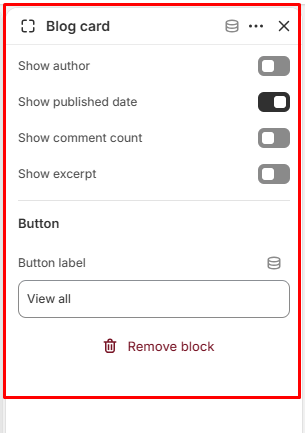
Show Author
Controls whether the blog post author’s name is displayed.
Available options:
- On
- Off
Show Published Date
Controls whether the blog post’s published date is displayed.
Available options:
- On
- Off
Show Comment Count
Controls whether the number of comments on the blog post is displayed.
Available options:
- On
- Off
Show Excerpt
Controls whether the blog post excerpt is displayed.
Available options:
- On
- Off
Button
The Button settings allow you to add a call-to-action button to the blog card.
Button Label
Allows you to define the text displayed on the blog card button.