

Location- Customiser > Template > Map
Map Overview
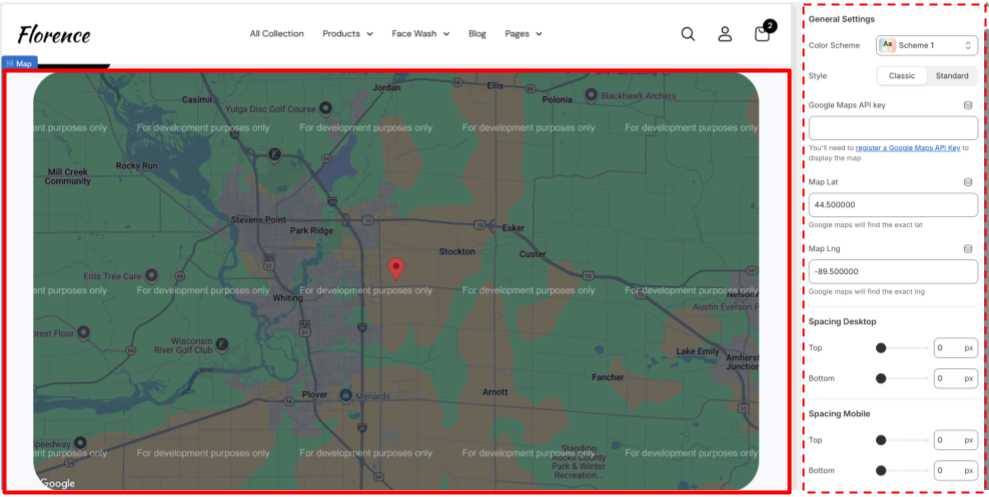
The Map section enables you to display an interactive Google Map on your store, making it easier for customers to locate your physical store, office, or showroom.
Map Settings Overview
General Settings
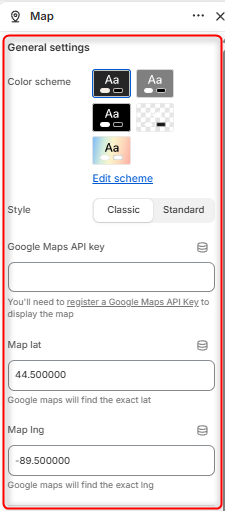
- Color Scheme- Enables you to edit or select the Desired color scheme you want to reflect on the map section.
- Style- Determines the overall appearance of the map.
- Google Maps API key- Allows you to insert your google API Key here to enable the map display.
- Map Lat- Enables you to Insert the latitude of the location marker.
- Map Lng- Enables you to Insert the longitude of the location marker.
Border Radius
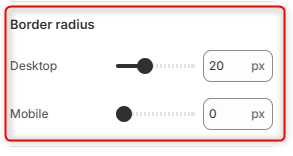
Desktop: Adjusts the corner radius of the map on desktop devices.
Mobile: Adjusts the corner radius of the map on mobile devices.
Spacing desktop
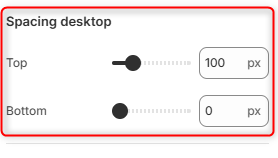
Top: Adds space above the map section.
Bottom: Adds space below the map section.
Spacing mobile
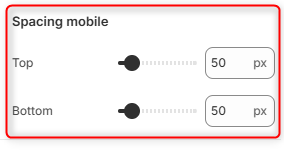
Top: Sets the amount of space above the map on mobile screens.
Bottom: Sets the amount of space below the map on mobile screens.