

Location: Customizer > Newsletter
Newsletter Overview
The Newsletter section allows you to create an email subscription area where customers can sign up to receive updates, promotions, and other content from your store.
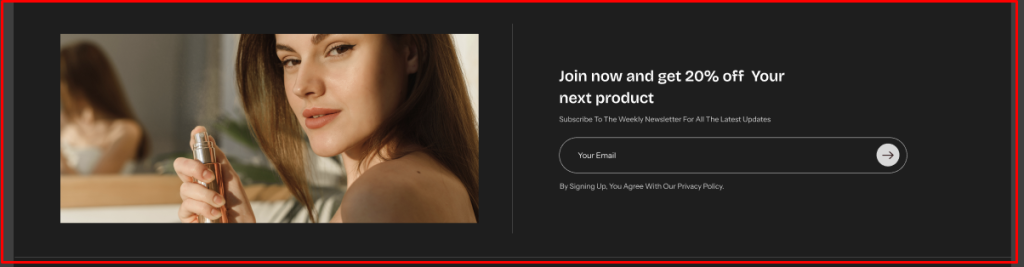
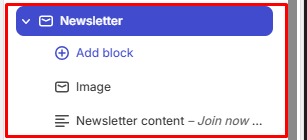
The section uses a block-based architecture, allowing you to combine an image with newsletter content.
General Settings
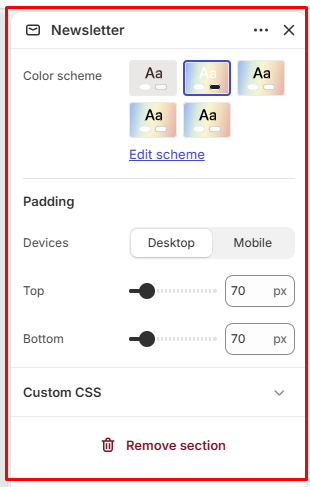
Color Scheme
Allows you to select the color scheme used for the Newsletter section.
Padding
Device: Select the device you want to configure:
- Desktop
- Mobile
Top: Controls the spacing above the Newsletter section.
Available range: 0–500 px
Bottom: Controls the spacing below the Newsletter section.
Available range: 0–500 px
Newsletter Blocks Configuration
The Newsletter section supports the following blocks:
- Image
- Newsletter Content
Image
The Image block allows you to display an image alongside the newsletter subscription content.
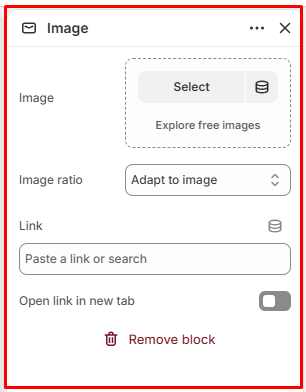
Image
Allows you to select an image to display in the Newsletter section.
Image Ratio
Controls the aspect ratio of the selected image.
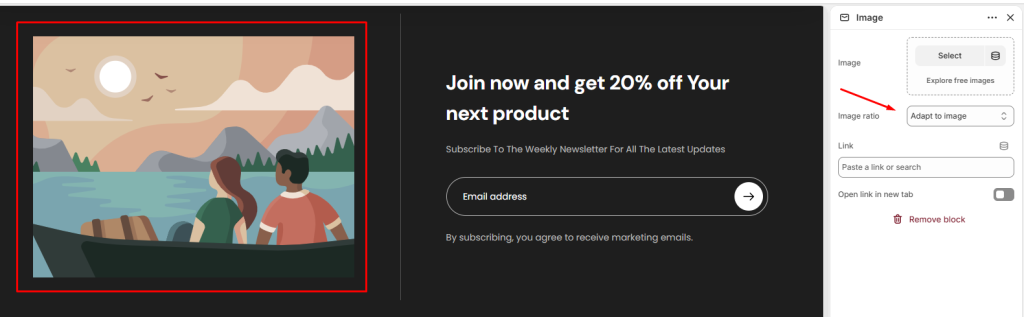
Link
Allows you to add a URL to the image.
Open Link in New Tab
When enabled, the linked page opens in a new browser tab.
Newsletter Content
The Newsletter Content block contains the text and subscription form content displayed to customers.
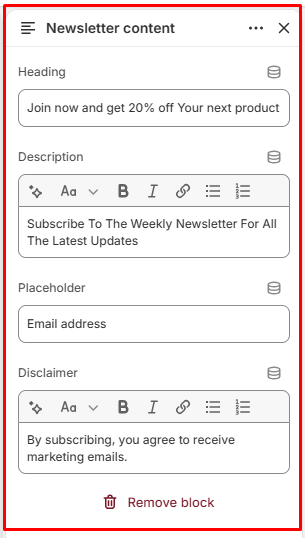
Heading
Allows you to add the main heading for the Newsletter section.
Description
Allows you to add supporting text or information below the heading.
Placeholder
Defines the placeholder text displayed inside the email input field.
Disclaimer
Allows you to add additional information or disclaimer text related to newsletter subscriptions.
Newsletter Block Structure
Newsletter
│
├── Image
│ ├── Image
│ ├── Image Ratio
│ ├── Link
│ └── Open Link in New Tab
│
└── Newsletter Content
├── Heading
├── Description
├── Placeholder
└── Disclaimer