

The Search settings allow you to control the search functionality available in your store. You can enable the standard search feature and activate predictive search to help customers find products, collections, pages, and articles more quickly.
Steps
- In the theme editor (Customize), click Theme settings.
- Select Search.
- Configure the available search options.
- Save the changes.
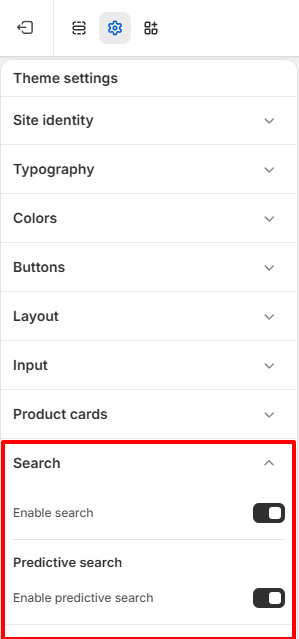
Enable search
Enable this option to display the search feature throughout your store.
When enabled, customers can search for products and other store content using the search interface.
Enable predictive search
Predictive search displays suggested results as customers type into the search field, helping them find products more quickly. Enable this option to display search suggestions while customers are typing.