

Location: Customizer > Testimonial
Note: This is the documentation for the new block-based Testimonial section. If you are using the old version of the section,
see the [Testimonial] documentation.
Testimonial Overview
The Testimonial section allows you to showcase customer reviews in a flexible and customizable layout. Testimonials can include star ratings, review content, author information, and an associated product.
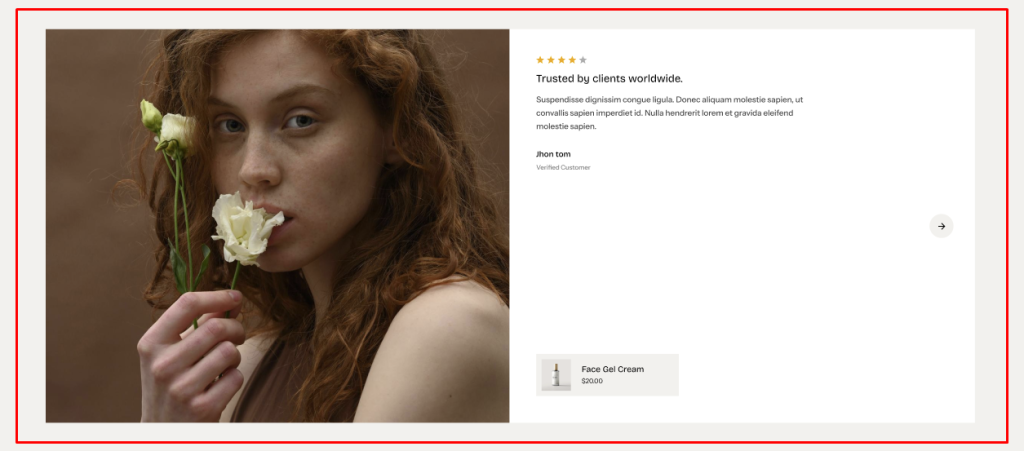
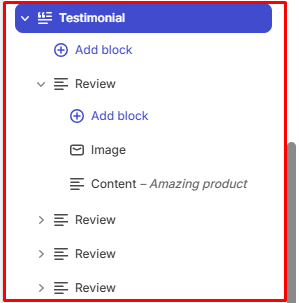
The section supports both horizontal and vertical styles, along with Grid and Carousel layouts. The testimonial content uses a block-based architecture with a Review block containing nested Image and Content blocks.
General Settings
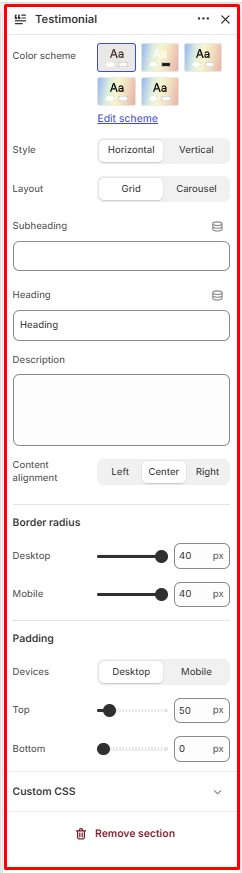
Color Scheme
Allows you to select the color scheme used for the Testimonial section.
Style
Controls the visual style and orientation of the testimonial content.
Available options:
- Horizontal
- Vertical
Layout
Controls how multiple testimonials are displayed.
Available options:
- Grid
- Carousel
Columns (Only show when layout set to vertical)
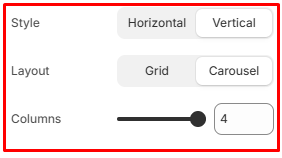
Controls the number of testimonial columns displayed within the layout.
Available range: 1–4 columns
Subheading
Allows you to add a subheading for the Testimonial section.
Heading
Allows you to add the main heading for the Testimonial section.
Description
Allows you to add supporting description text for the Testimonial section.
Content Alignment
Controls the horizontal alignment of the section content.
Available options:
- Left
- Center
- Right
Border Radius
Controls the corner rounding of the testimonial items.
Desktop: Available range: 0–40 px
Mobile: Available range: 0–40 px
Padding
Controls the spacing around the Testimonial section.
Device: Select the device you want to configure:
- Desktop
- Mobile
Top: Controls the spacing above the Testimonial section.
Available range: 0–500 px
Bottom: Controls the spacing below the Testimonial section.
Available range: 0–500 px
Testimonial Blocks Configuration
The Testimonial section contains the following block:
- Review
The Review block contains nested Image and Content blocks to structure the testimonial content.
Review
The Review block represents an individual testimonial and contains the review image, testimonial content, author details, and associated product.
Multiple Review blocks can be added to display multiple testimonials.
Image
The Image block is nested within the Review block and allows you to add an image to the testimonial.
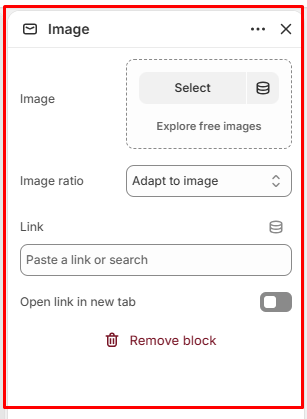
Image
Allows you to select the image displayed within the testimonial.
Image Ratio
Controls the aspect ratio of the testimonial image.
Available options:
- Adapt to Image
- Square
- Portrait
- Landscape
Link
Allows you to add a link to the testimonial image.
Open Link in New Tab
When enabled, the linked page opens in a new browser tab.
Content
The Content block is nested within the Review block and contains the testimonial rating and review content.
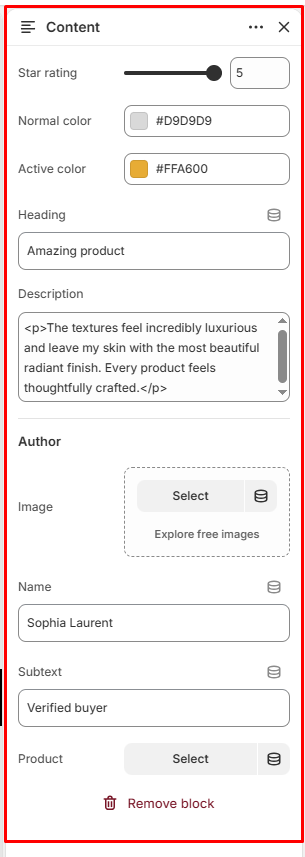
Star Rating
Controls the number of stars displayed for the testimonial.
Available range: 1–5
Normal Color
Controls the color of inactive or unselected stars.
Active Color
Controls the color of active or selected stars.
Heading
Allows you to add a heading for the testimonial review.
Description
Allows you to add the main testimonial review content.
Author
The Author settings allow you to display information about the person who submitted the testimonial.
Image
Allows you to select an image for the testimonial author.
Name
Allows you to add the author’s name.
Subtext
Allows you to add additional information below the author’s name.
Product
Select Product
Allows you to select a product associated with the testimonial.